
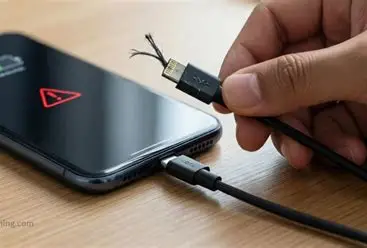
A phone may refuse to charge, charge slowly, charge intermittently, or display a charging symbol without actually increasing the battery percentage.
Understanding the possible causes of charging faults can help users identify problems early and know when professional repair is necessary.
Common Causes of Smartphone Charging Faults
1. Faulty Charger or USB Cable
A damaged charger, broken cable, or incompatible charging adapter can prevent a smartphone from charging properly. Always test with a known working charger and cable.
2. Dirty or Damaged Charging Port
Dust, dirt, moisture, or damaged charging pins inside the charging port can interrupt the connection between the charger and the smartphone.
3. Weak or Damaged Battery
An old or faulty battery may charge slowly, drain quickly, overheat, or fail to store power properly.
4. Charging Port Hardware Fault
The charging port may become loose or damaged due to frequent plugging and unplugging of the charging cable.
5. Charging Circuit Problems
Internal components such as the charging IC, power management IC, fuse, diode, or other motherboard components can develop faults and prevent the phone from charging.
6. Software Problems
Sometimes charging issues may be caused by software errors, system bugs, or battery management problems. Restarting or updating the device may help in some cases.
Basic Steps Users Can Take
- Try another compatible charger and USB cable.
- Inspect the charging port for dirt or debris.
- Restart the smartphone.
- Check whether the phone becomes unusually hot while charging.
- Avoid using damaged or low-quality chargers.
- Do not force objects into the charging port.
- Visit a qualified smartphone technician if the problem continues.
Important Safety Advice
If a smartphone becomes extremely hot, smells burnt, has a swollen battery, or repeatedly switches on and off while charging, stop using the charger immediately and seek professional assistance.
Conclusion
Understanding smartphone charging faults helps users protect their devices and avoid unnecessary damage. While simple problems such as a faulty cable or dirty charging port can sometimes be resolved easily, internal charging circuit faults require proper diagnosis and professional repair.
JOVATECH provides practical training and technical knowledge to help learners understand smartphone faults, diagnosis, and professional repair techniques.